Remotto en
Manage all devices
from one screen
From screen monitoring and file distribution to print limits, remote auto-login, and application restrictions, Remotto helps schools and businesses manage their PCs from one place.
Everything You Need, in One Place
Handle the PC management tasks you use every day through a clear, easy-to-use interface
Real-Time Screen Monitoring
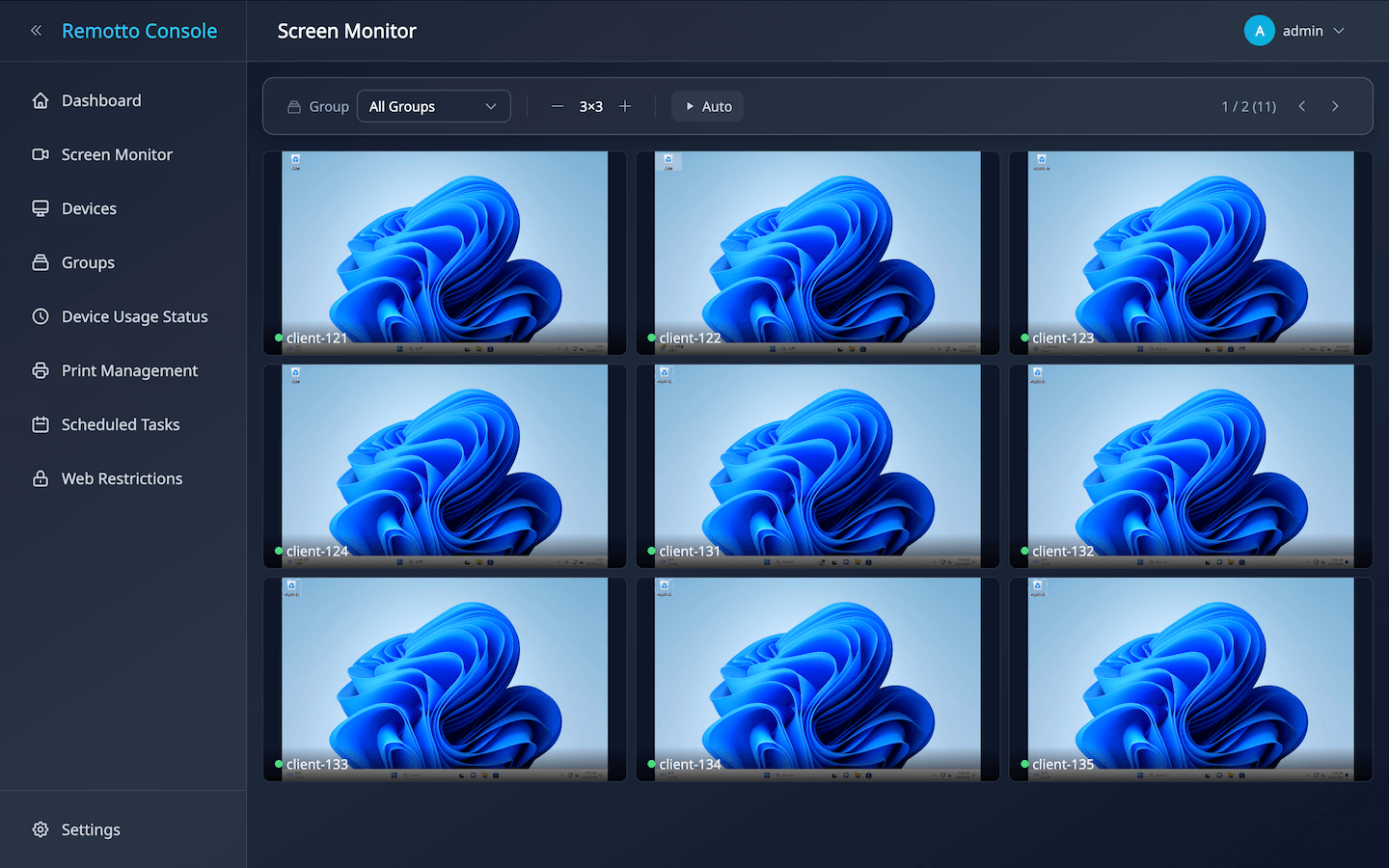
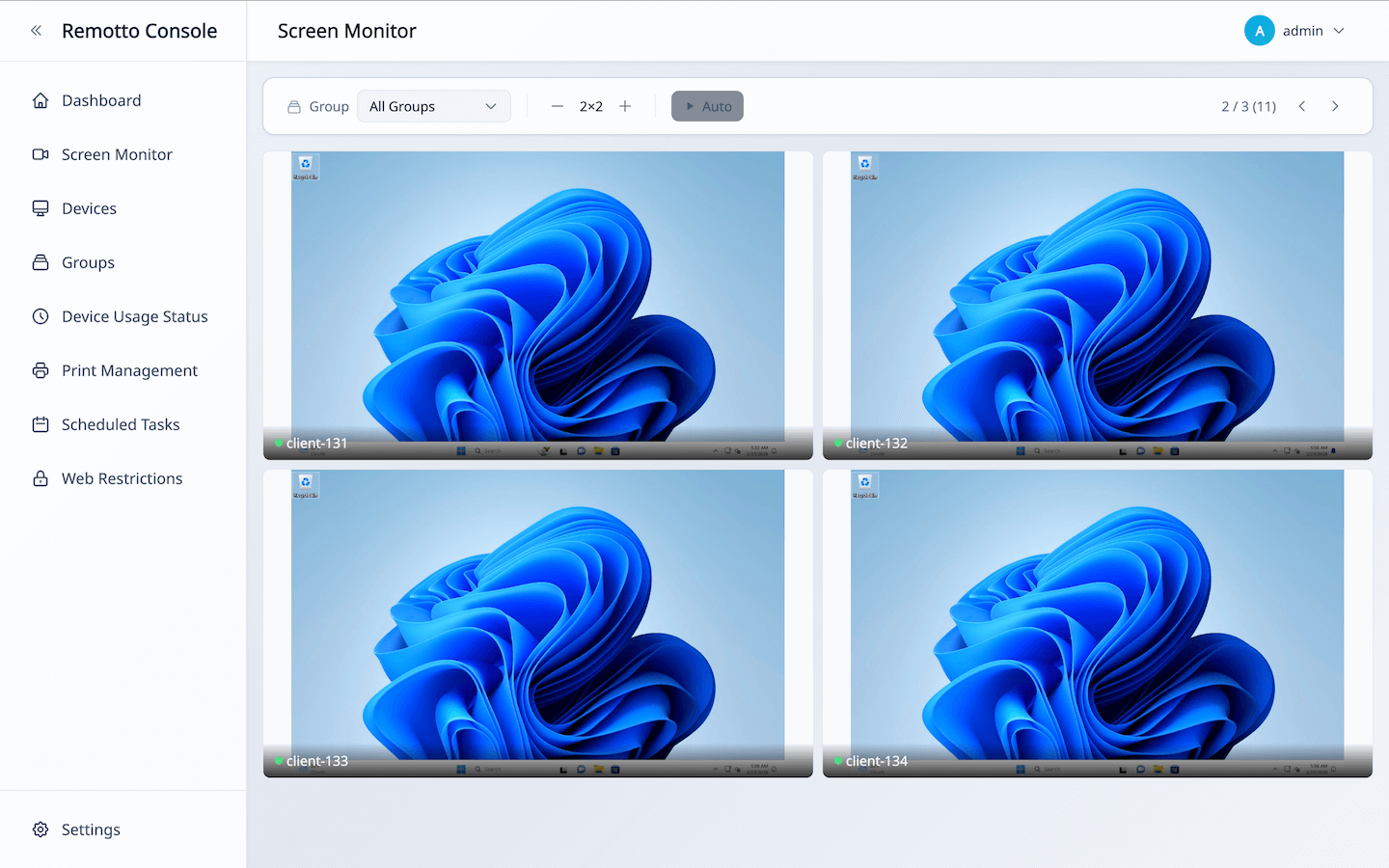
View device screens as thumbnails so you can understand usage at a glance and notice devices that may need support. Streaming quality can be adjusted to match your network environment.
Screen Sharing & Presentation
Share the administrator’s screen with managed devices. It is useful for explaining procedures, showing demos, or sharing materials directly on each user’s screen.
Bulk Power Control & Scheduling
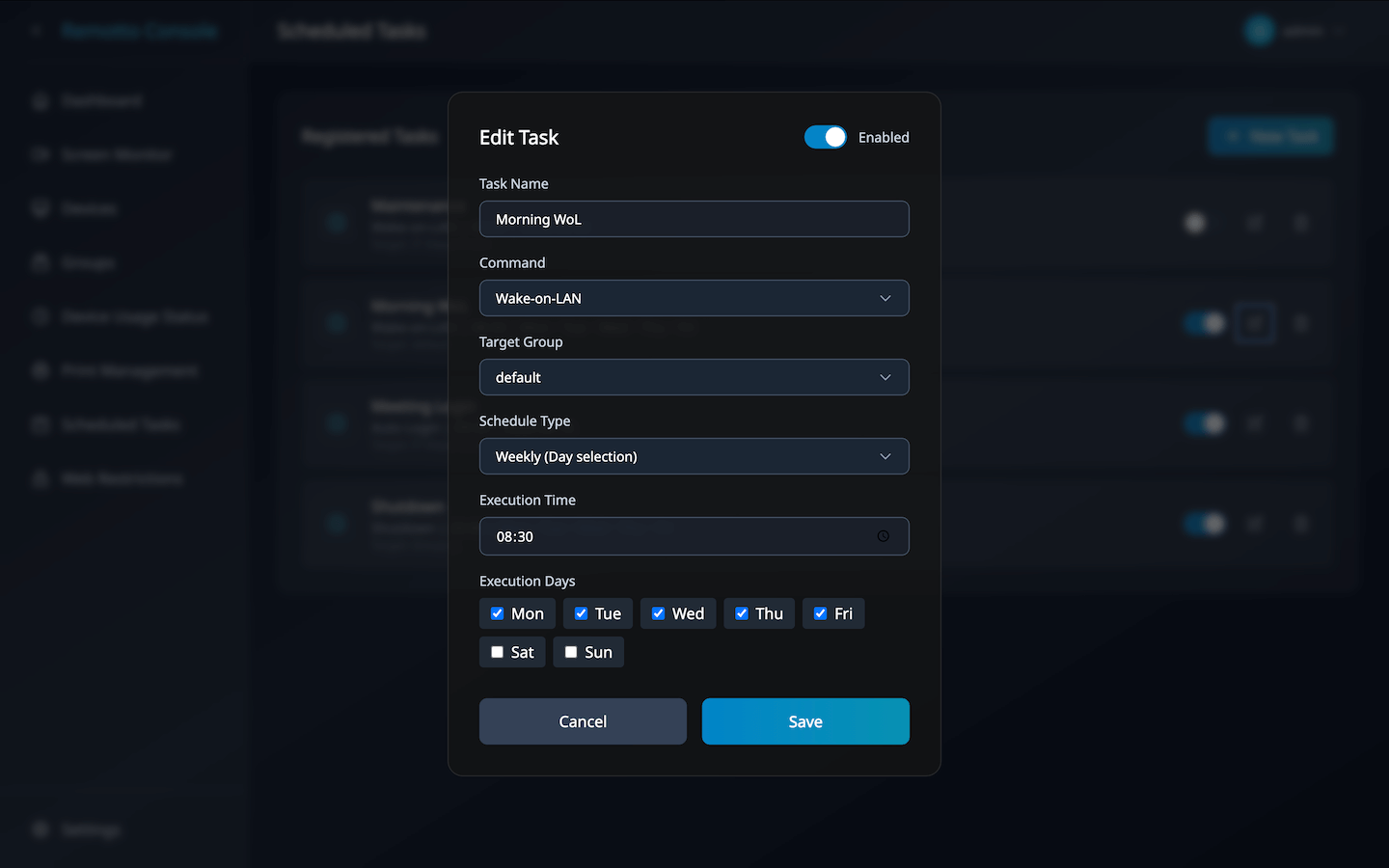
Power on, shut down, or restart devices in bulk. You can also schedule power operations by day and time, such as startup before work or shutdown after hours.
Remote Auto-Login
Sign in to managed devices remotely from the administrator side. This helps prepare shared or temporary-use devices so they are ready when users need them.
Bulk File Distribution
Distribute documents and update files to selected devices in bulk. This reduces manual work with USB drives or shared file servers.
Web Access Restrictions
Restrict access to websites that are not needed for work or classes. Choose whitelist or blacklist rules and apply different settings by group.
Application Management
Manage which applications can be used and restrict apps that are not needed for work or classes. This helps keep usage rules consistent across devices.
Print Monitoring & Limits
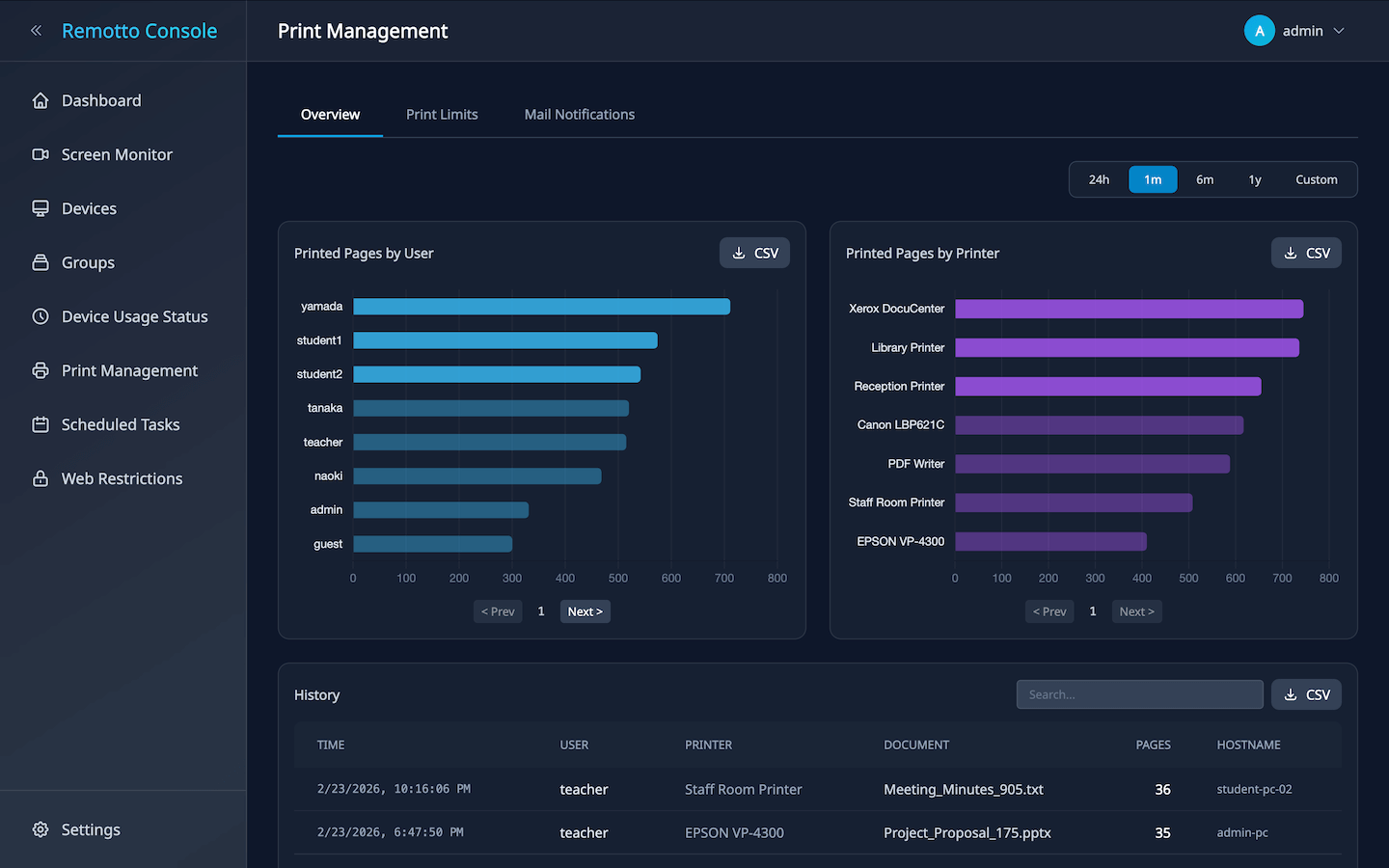
Record who printed, when they printed, and how many pages were printed. Per-user page limits help reduce unnecessary paper and toner use.
Activity Logs & Usage History
Record startup times, logged-in users, and uptime for each PC. Use the logs to review device usage and check for weekend or late-night activity.
Use Cases
Useful in schools, businesses, public facilities, and other environments that manage multiple devices
School & University PC Labs
Prepare devices before class by powering them on, signing in, distributing teaching materials, and setting web restrictions. During class, instructors can monitor screens, quickly find students who need help, and provide support.
Corporate Shared PCs & Hot-Desking
Check who is logged in to each PC, manage shutdowns after work, and review activity logs. Remotto supports day-to-day PC administration for IT teams.
Cram Schools & Training Centers
Use file distribution and screen sharing to run lectures and presentations smoothly. Even in Wi-Fi environments centered on laptops, instructors can monitor participant screens and manage web restrictions more easily.
Libraries & Public Facilities
Set website restrictions and print limits for visitor PCs. Scheduled shutdowns and usage logs help with closing-time operations and usage review.
Benefits
Reduce the time spent checking, distributing, and operating PCs every day
Focus on Core Work
Use the dedicated Viewer app to see device screens in a list and quickly find devices that may need attention. This reduces the need to walk around and check each PC one by one.
Automate Daily Operations
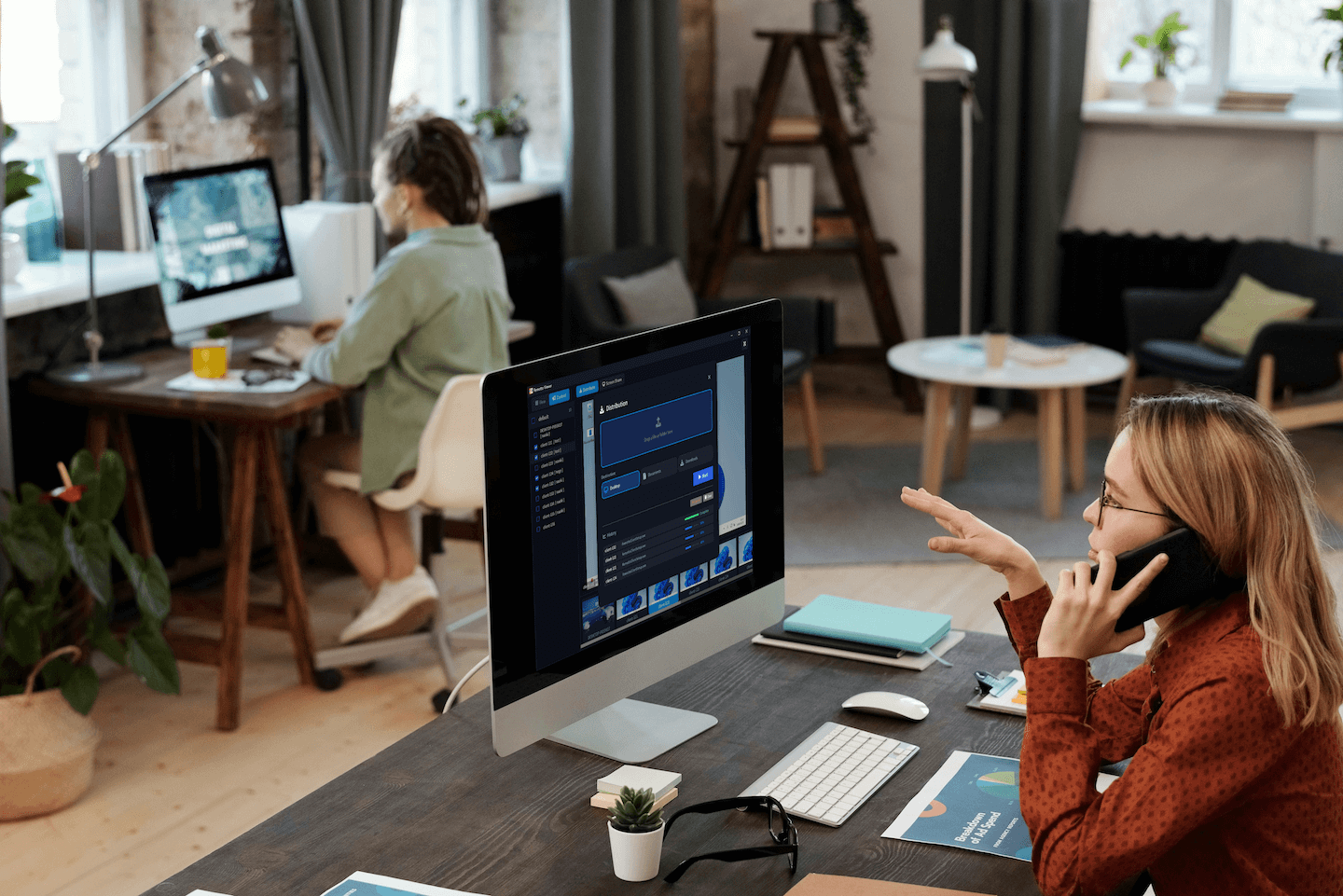
Use scheduling in the Admin Console to automate startup before the day begins and shutdown after work. Bulk startup and login can also be run from the console.
Visualize and Reduce Security Risks
Restrict access to unnecessary websites, record print logs, and review screens when needed. These features make shared-PC usage easier to understand and manage.
Measurable Cost Savings
Visualizing and limiting print usage helps reduce paper and toner consumption. Scheduled shutdowns can also help reduce electricity usage.
System Requirements
Runs on standard PC environments that support Windows
Client (Managed PCs)
| OS | Windows 11 24H2 or later |
|---|---|
| CPU | Intel Core i3 or higher, recommended |
| Memory | 4GB+ (8GB recommended) |
| Network | Wired LAN or stable Wi-Fi |
Server
| OS | Windows Server 2019 or later / Ubuntu 24.04 or later / Rocky Linux 10.1 or later |
|---|
Recommended specs (for ~500 devices):
CPU 8 cores / RAM 16 GB (~16 MB per device) / Network 1 Gbps / Storage 100 GB
* Lower specs are sufficient for smaller deployments.
Pricing
Term licenses based on device count, with no automatic renewal or cancellation process required
Free
- Up to 5 devices
- Screen monitoring
- Remote control
- File distribution
- Power control
- No time limit
Light
Includes the Free plan features plus the following capabilities.
- Up to 50 devices
- Web access restrictions
- Application management
- Print management
- Usage logs
- Scheduled tasks
- LDAP/AD integration
Business
Includes the Free plan features plus the following capabilities.
- Up to 500 devices
- Web access restrictions
- Application management
- Print management
- Usage logs
- Scheduled tasks
- LDAP/AD integration
Frequently Asked Questions
Try Remotto for Free
No account required. You can use it free for up to 5 devices.
Client
Server
See the Installation Guide for installation steps